KSeF Certificates – Installation Step by Step
1. What is a KSeF certificate?
A KSeF certificate is essentially a digital identity confirmation that allows your system to securely connect to the Polish Krajowy System e-Faktur (KSeF).
It works similarly to an electronic signature – it:
- confirms who you are,
- allows your software to communicate with KSeF,
- enables sending and receiving invoices.
In practice, the certificate is required to:
- access the KSeF API,
- authenticate your company in the system,
- issue and receive structured invoices.
👉 Simply put: no certificate = no integration with KSeF.
2. Where to generate a KSeF certificate?
Certificates are generated in the official government tool:
👉 Aplikacja Podatnika KSeF
Link: https://ap.ksef.mf.gov.pl/
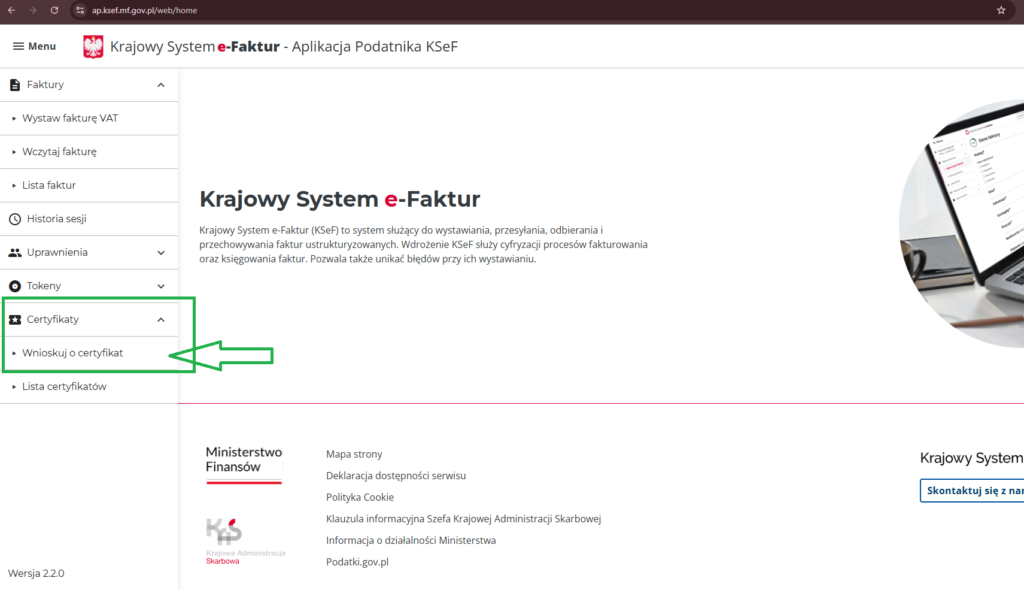
Inside the application:
- Log in using your authentication method (Trusted Profile, qualified signature, etc.)
- Go to the Certificates section
- Click “Request a certificate”
- Generate the key and submit the request
- Download the certificate file
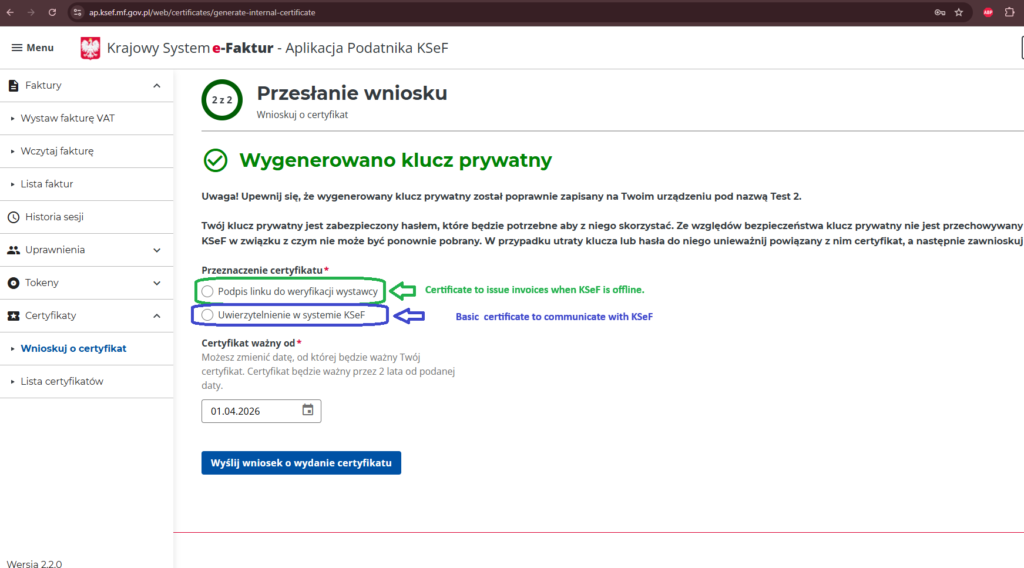
During the process:
3. Types of KSeF certificates
There are two types of KSeF certificates, and each serves a different purpose.
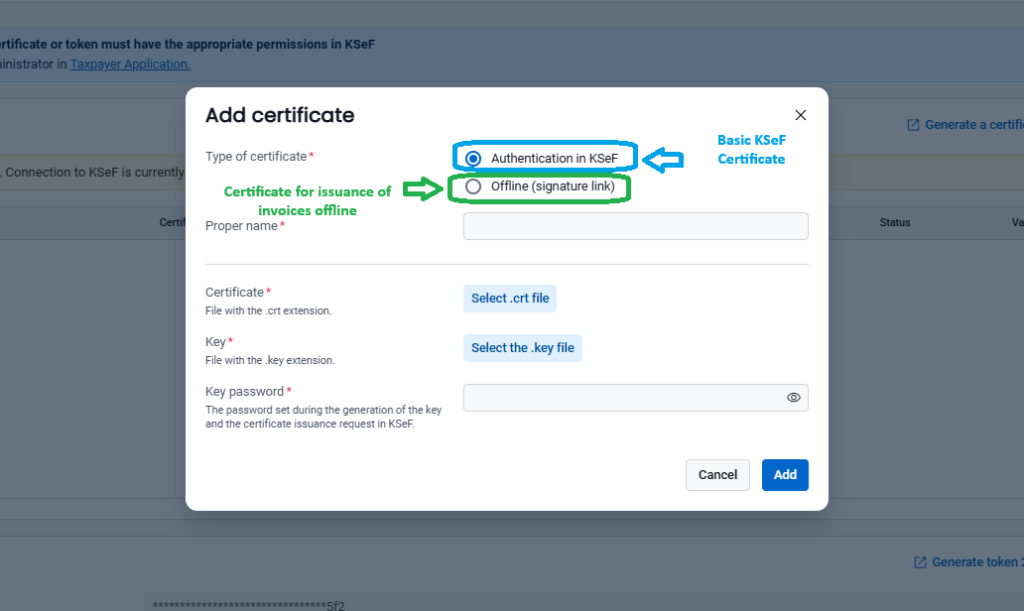
🔹 1. Certificate for authentication and communication (daily use). “Uwierzytelnianie w systemie KSeF “
This is the main certificate used for:
- connecting to KSeF,
- sending invoices,
- downloading purchase invoices,
- ongoing automated work (API integrations, accounting systems).
👉 This is the certificate you need for everyday operations.
🔹 2. Certificate for offline mode (emergency use). “Podpis linku do weryfikacji wystawcy“
This certificate is used only in specific situations:
- when KSeF is unavailable (system failure),
- for issuing invoices offline,
- and later sending them to KSeF.
👉 Think of it as a backup solution.
3. Uploading the Certificate to SaldeoSMART
After generating the certificate, it must be uploaded to the Saldeo system. The upload is done from the following section of the application.
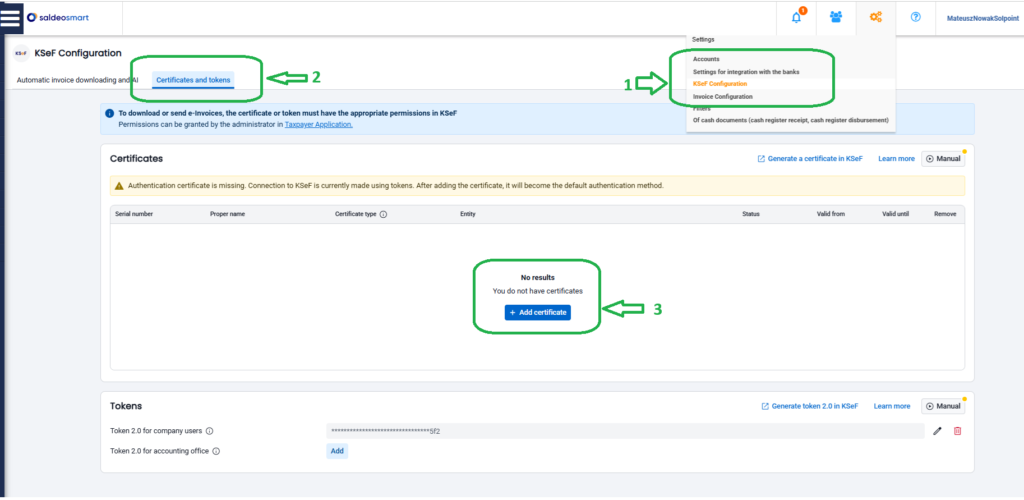
Next, you can upload one or two types of certificates.
After uploading the certificate, you will be able to issue and send invoices to KSeF.
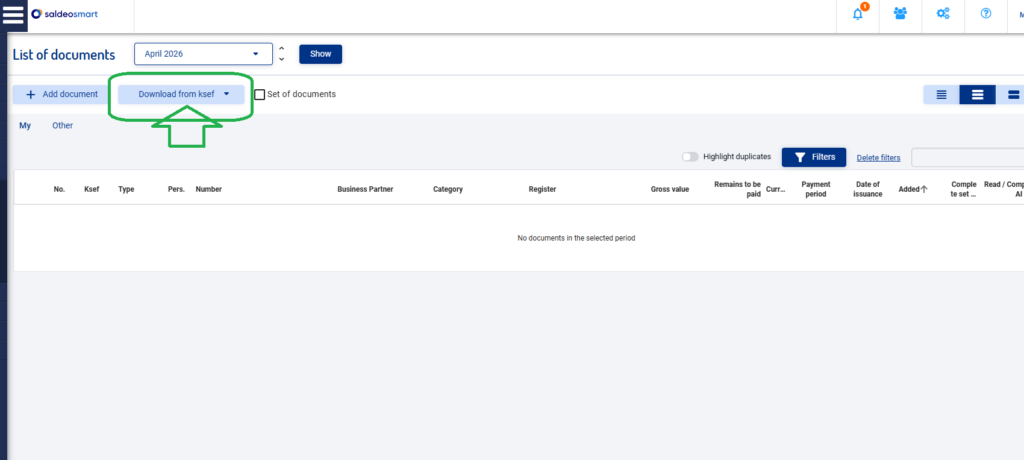
Purchase invoices will be downloaded automatically every hour. You can also manually trigger the download of documents from KSeF.