

How to Generate a KSeF Certificate – Step-by-Step Guide
The KSeF certificate is one of the methods used to authenticate access to the Polish National e-Invoice System (KSeF). It allows accounting systems, ERP systems, and other software to securely communicate with the platform provided by the Ministry of Finance.
In this article, we explain how to generate a KSeF certificate step by step using the Taxpayer Application (Aplikacja Podatnika KSeF).
Step 1 – Log in to the KSeF Taxpayer Application
First, open the official KSeF Taxpayer Application provided by the Polish Ministry of Finance.
You can access it here:
Log in using one of the available authentication methods (for example trusted profile, electronic signature, or e-ID).
Step 2 – Go to the Certificates Section
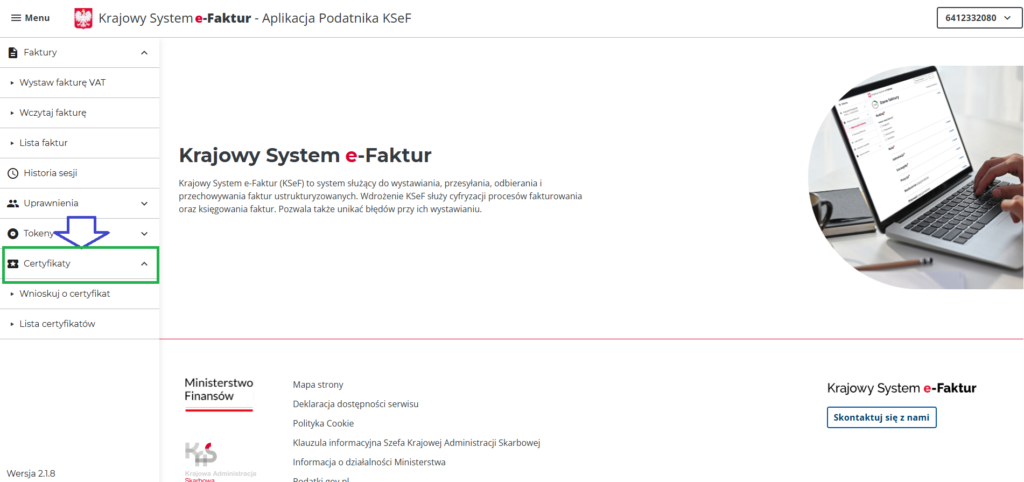
After logging in, look at the menu on the left side of the screen.
Click: Certificates → Request a Certificate
This section allows you to create and manage certificates used for communication with KSeF.
Step 3 – Fill in the Certificate Details
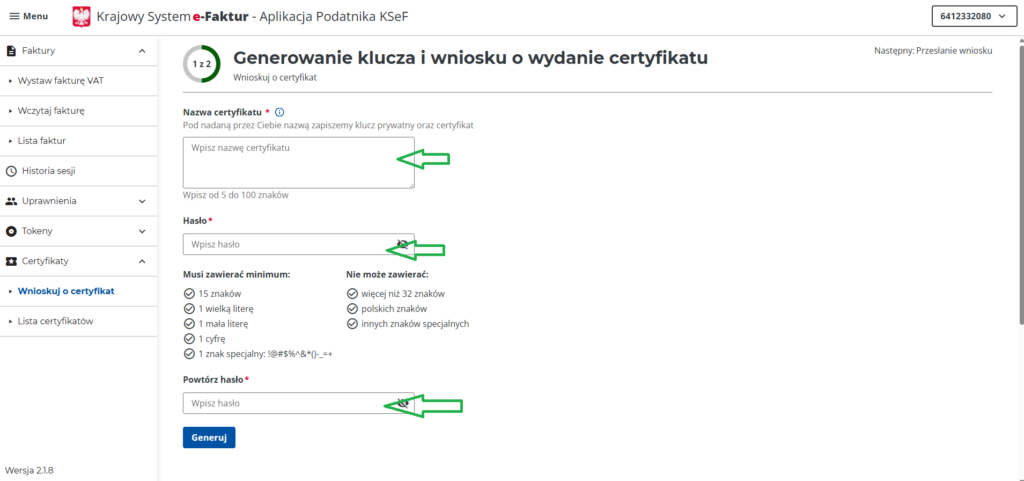
In the next window, you will need to provide the following information:
Certificate name
Choose any name that will help you identify the certificate (for example: Accounting Office, ERP Integration, or Saldeo Integration).
Password
You must create a password for the certificate file.
The password must contain at least 15 characters.
After completing the form, click:
Generate Certificate
Step 4 – Generate Certificate
Step 5 – Download the Certificate
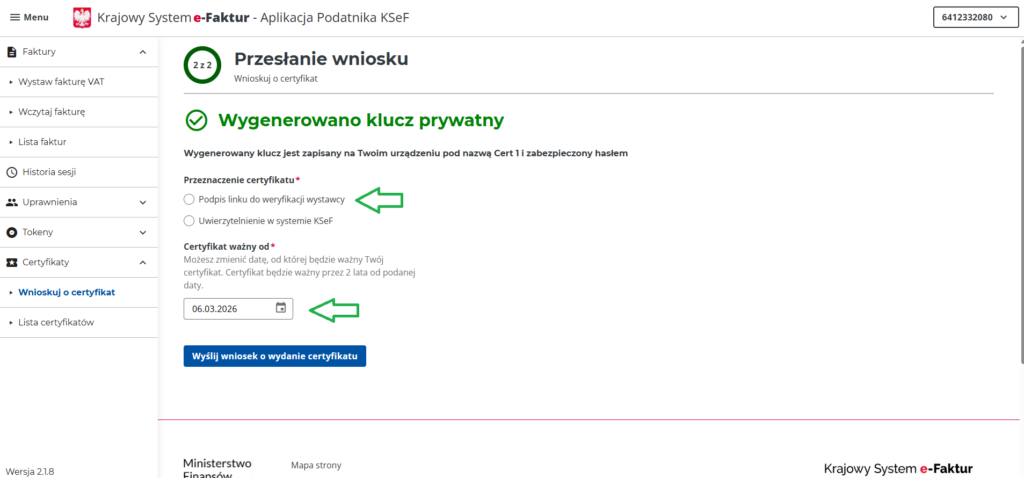
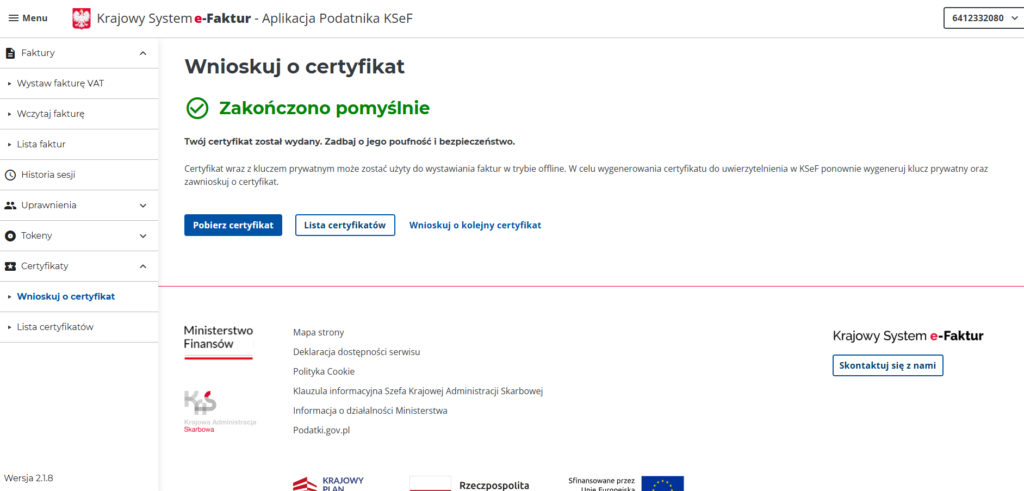
After the certificate is generated, the system will allow you to download the certificate file.
Make sure to store it securely together with the password you created earlier.
You will need both when configuring integrations with accounting systems or invoicing software.
Important: Certificate Limits
It is important to remember that each taxpayer can have a maximum of two active certificates.
Typically they are used for different purposes, for example:
- one certificate for standard system communication
- one certificate for offline or backup use
If necessary, certificates can also be revoked (invalidated) directly from the same section in the KSeF application.
This is useful if a certificate is no longer needed or if you want to replace it with a new one.